Control the wind
inside your Mac.
Fan control for Apple silicon Macs. Draw a curve, hold a speed, or build presets that react to any sensor your Mac reports.
Your Mac, tinted by its own sensors.
Viter recognises your MacBook, iMac, Mac mini or Mac Studio and draws its own chassis, components and every fan it reports. Temperatures and fan speeds are live; airflow is visualised from that layout, not measured. Unknown hardware gets an honest neutral map instead of the wrong Mac.
Three ways to hold a fan.
Draw a curve
Hold a speed
React to a sensor
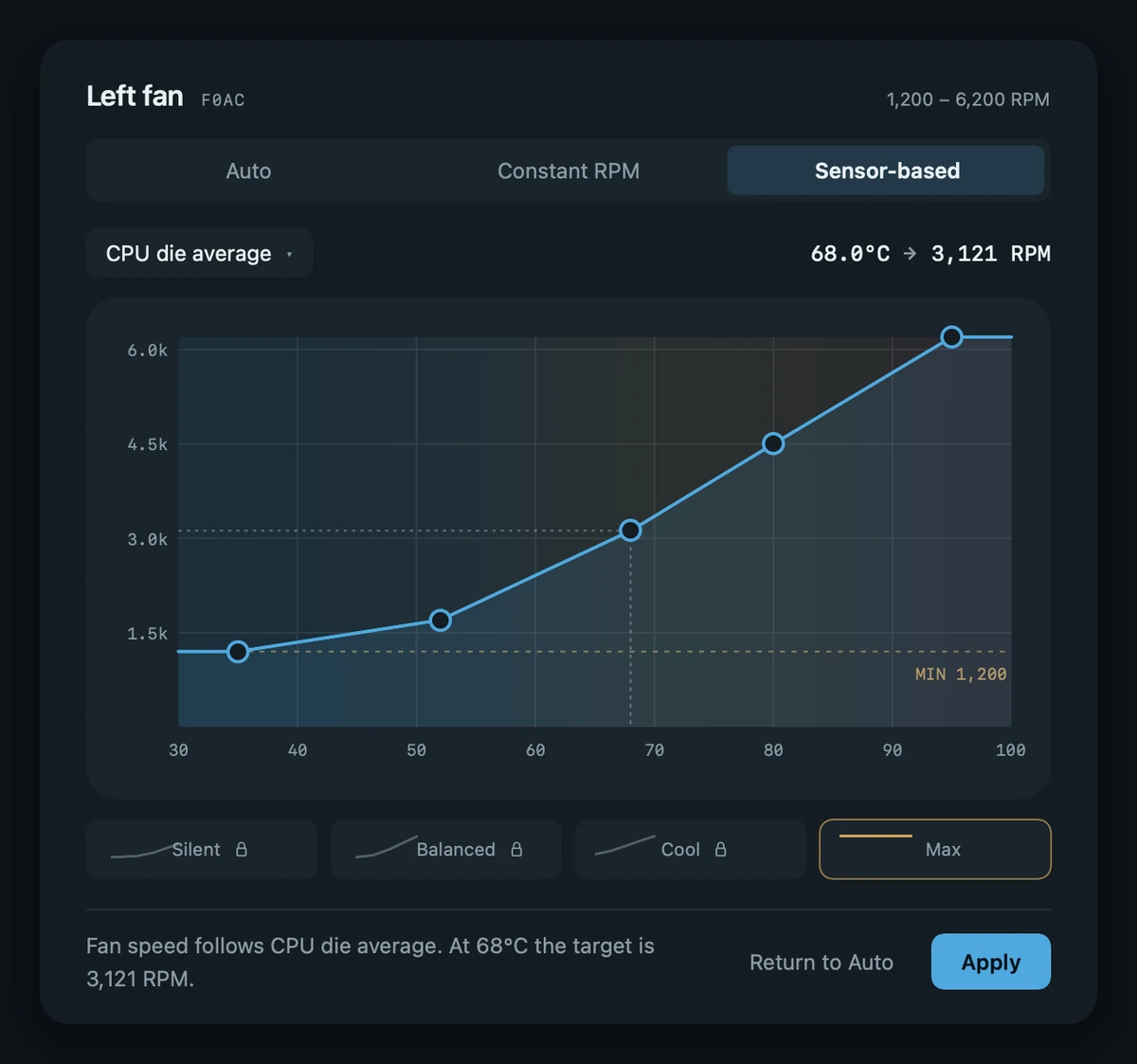
Drawn against any sensor
Pick the sensor, then drag the points. Above the dashed MIN line the curve names a real target. Below it, the flat grey band means Viter has let go: macOS decides, including whether to park the fan until the curve rises.
Presets you build yourself
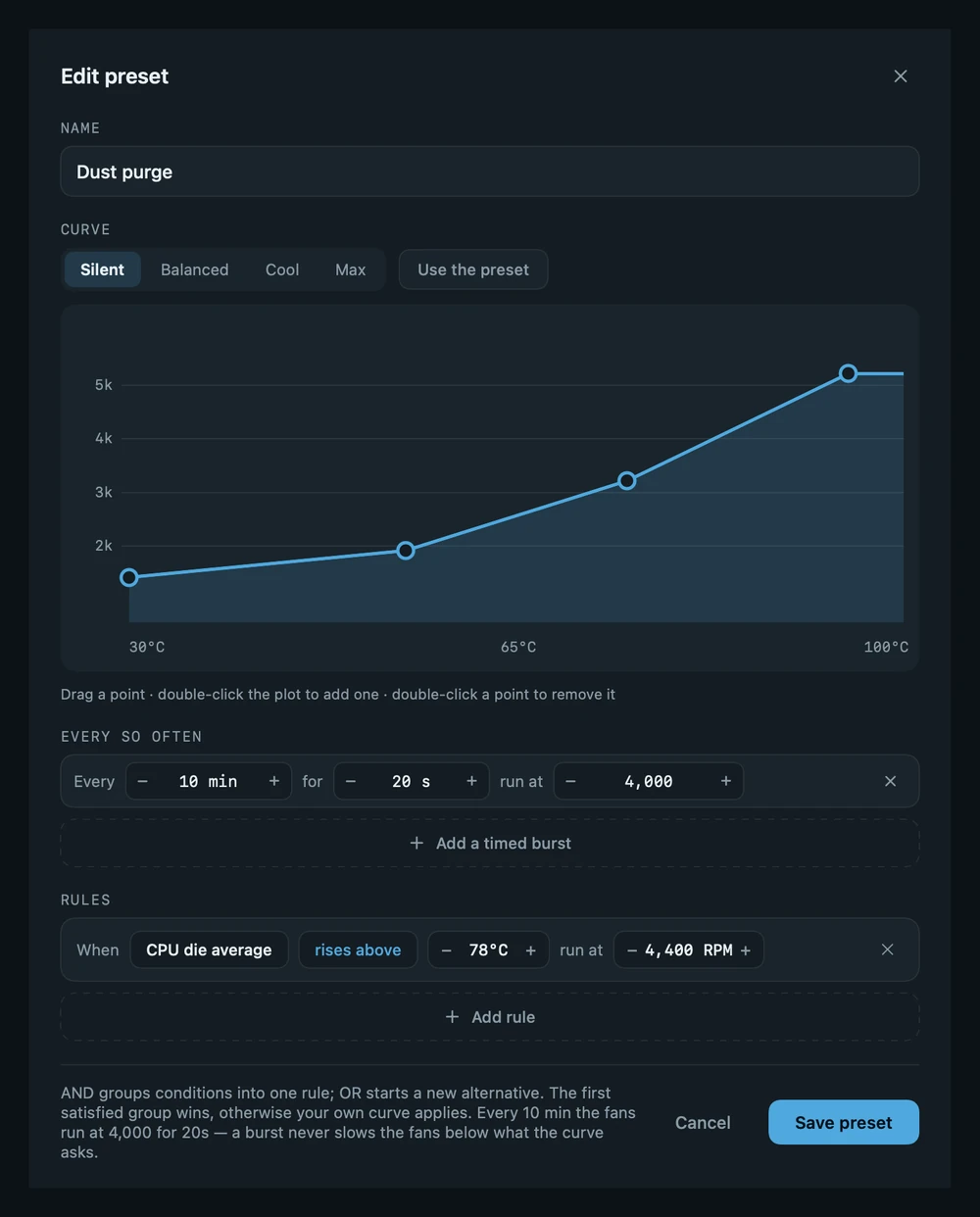
Name it, give it a curve, then add a burst on a clock and a rule against a sensor. AND groups conditions into one rule, OR starts an alternative. A burst never slows the fans below what the curve already asks.
Build the history you need
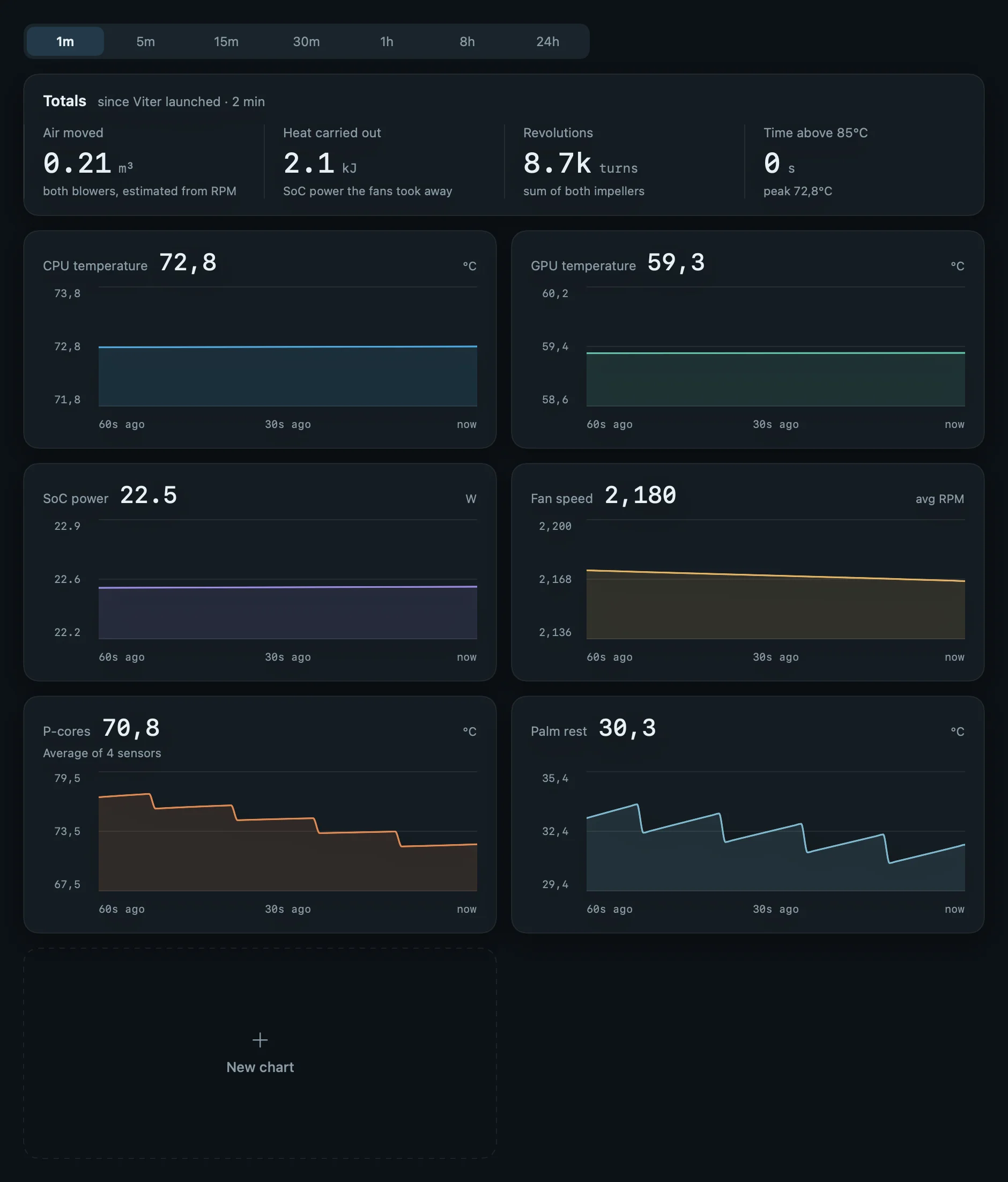
Choose up to eight sensors and chart their average, hottest, coolest or median reading. Name the chart, pick its colour, then drag it, or any built-in History card, into the order that makes sense to you.
It lives in the notch
A black band that wraps the notch, carrying only the stats you assign to it. Click Viter and the panel opens on the display you used; on an external monitor it anchors beneath the menu bar icon instead of looking for a notch that is not there.

Take the fans.
macOS is keeping this one quiet, and hot. Bring the die under 80 °C and hold it there for fifteen seconds. These are the real commands.
Questions
Setup, licences and troubleshooting are on the support page. Anything else, write to support@viter.app.
Install and safety
Any Apple silicon Mac on macOS 14 or newer. On machines where macOS does not expose fan control, Viter still reads every sensor: it monitors, and says so, rather than pretending.
The fans, and nothing else. Each blower can follow a curve against a sensor, hold a constant RPM, or be left to macOS. Link both fans to one setting or tune each side alone. Everything else on screen (temperatures, power, the airflow map) is monitoring.
Viter never commands a fan below its manufacturer minimum. A curve may enter the grey band below that line; there Viter stops commanding that blower and lets macOS decide, which may mean stopping it until the curve rises. Past 98 °C Viter hands every fan back to macOS and tells you it did.
Writing a fan target requires root; that is macOS, not a choice Viter made. One administrator prompt installs a small helper that launchd keeps running, so control works on this launch, the next one, and after a reboot. Decline it and Viter keeps monitoring and says control is off.
Your presets and curves are saved, but a fan target is not stored in the hardware: when Viter is not running, macOS is back in charge. Apply the preset again and it picks up where it was.
It is a 6 MB app that reads the SMC once a second and interpolates between readings, so nothing runs at frame rate. No daemon zoo, and no login items you did not ask for.
Presets and automation
Time-based presets fire on a clock rather than on temperature: 4,000 RPM for twenty seconds every ten minutes, say. Useful for shifting dust off a heatsink, or keeping a machine ahead of a load you know is coming.
Every thermal key the SMC will report, grouped by device and searchable by any word that describes it. Viter Pro can combine up to eight sensors in a custom History chart as their average, hottest, coolest or median reading. Build up to six charts and drag any History card into the order you want.
Yes. Enable Control from other apps in Settings. Use a viter:// URL in Shortcuts or the viter command in Terminal. You can boost, hold an RPM, apply a built-in preset, return to Auto or read status. This Pro feature works locally on your Mac. When a timed command ends, Viter restores the previous fan settings.
Price and privacy
Monitoring is free forever: every sensor, the built-in History charts, the menu bar readout, the panel and the hardware-specific X-ray, with no account. Curves, held speeds, custom presets, custom History charts, rules, schedules and control from other apps are Viter Pro: a subscription, or $20 once for one Mac.
No telemetry, no analytics, no crash reporting, no advertising identifiers, and no account to create. Monitoring and commands from other apps stay on your Mac. The one network exception is a Pro licence check, which sends your licence key, an opaque identifier for this Mac and its name. It keeps working offline for fourteen days between checks. Details are on the privacy page.
Quiet or cold.
You decide.
Monitoring is free forever. Fan control, custom presets and automation are Viter Pro: $3 a month, or $20 once for one Mac.